How to build a social media content calendar that your team will use
What a social media content calendar is, what to put in it, and a five-step method to build one that keeps every network posting consistently.
By The Postreo team
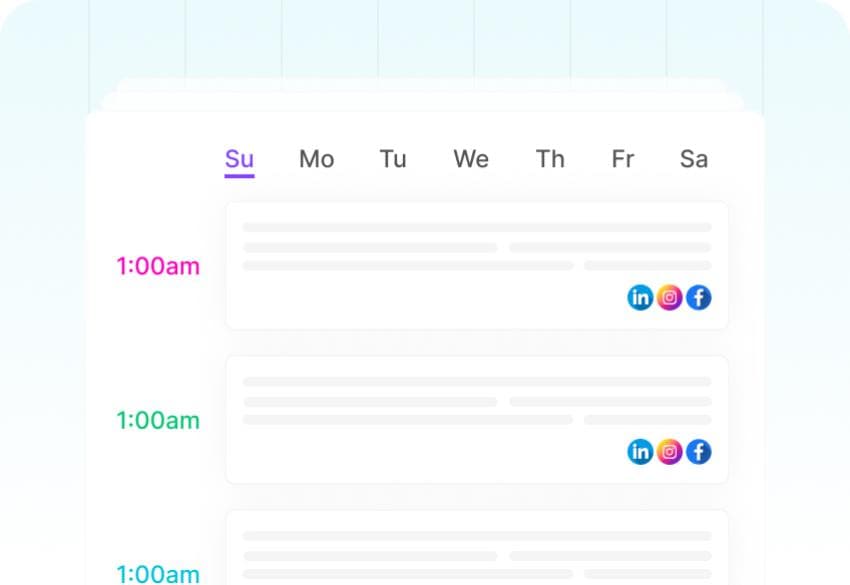
A social media content calendar is a schedule of what you'll post, where, and when. At its simplest it's a list of dates and captions; at its most useful it's the shared view your whole team works from, so everyone knows what's going out this week and nobody has to ask.
Most teams that post inconsistently don't lack ideas. They lack a place where ideas turn into scheduled posts. A content calendar is that place.
What a content calendar should include
Keep it lean. Every field you add is a field someone has to fill in, and calendars die when they become paperwork. For each post, you need:
- Date and time it publishes.
- Network and account — “LinkedIn, company page” rather than just “LinkedIn”.
- The caption, written for that network.
- The image, video or link that goes with it.
- Status: idea, draft, scheduled or published.
- A tag for the campaign or content pillar it belongs to.
Optional extras that earn their place for larger teams: who owns the post, and a link to the brief or the source material.
Step 1: Pick your networks and a realistic frequency
Decide where you'll post and how often before deciding what. A frequency you can keep beats an ambitious one you abandon in the third week. If you're starting out, three posts a week on your two most important networks is a solid base — you can add more once the routine holds.
Step 2: Define three to five content pillars
Content pillars are the recurring themes you post about. They stop the calendar from drifting into all promotion or all filler, and they make planning faster because each slot already has a theme. A software company's pillars might look like this:
- Education: tips and how-tos related to the problem the product solves.
- Product: new features, use cases and short demos.
- Customers: stories, results and quotes from real users.
- Behind the scenes: the team, the process, what's being built next.
- Community: questions, polls, and sharing other people's good work.
Tag each post with its pillar. After a month, you'll see at a glance whether the mix is balanced — and, with analytics, which pillars your audience actually responds to.
Step 3: Map recurring slots and key dates
Give the week a shape. Recurring slots — a tip every Tuesday, a customer story every Thursday — remove the daily “what should we post?” question. Then add the dates you already know about: launches, events, holidays relevant to your audience and industry awareness days. Plan those first; fill the remaining slots with your pillars.
Step 4: Fill it in batches
Writing posts one at a time, on the day, is what makes social media feel endless. Fill the calendar in batches instead — one sitting each week or every two weeks. Draft everything in one pass, then edit, then schedule. AI tools are useful here for turning a list of topics into first drafts you then make your own.
Step 5: Review what worked and adjust
Once a month, look back. Which posts got the most engagement, reach or clicks? Which pillar performed best on which network? Move more of next month's slots toward what worked, and try something new in the slots that consistently underperform.
Spreadsheet or dedicated tool?
Plenty of teams start with a spreadsheet, and that's fine for a single person posting a few times a week. The cracks show as you grow: the spreadsheet doesn't publish anything, so every post still has to be copied into each network by hand, and the sheet quickly goes out of date with what was actually posted.
A dedicated tool makes the calendar the place where posts are scheduled, not just planned. What you see on the calendar is exactly what will publish, and when a post is moved, it moves everywhere.
Running your content calendar in Postreo
In Postreo, the calendar is built from your scheduled posts, with week, month and list views across every connected account. Drafts sit beside the calendar until they're ready, tags group posts by campaign or pillar, and channel groups let you plan by brand or client. The analytics dashboard shows impressions, reach, likes and saves per post, so the monthly review takes minutes rather than an afternoon.
Frequently asked questions
How far ahead should a social media content calendar go?
Plan themes and key dates a month or a quarter ahead, but write and schedule posts one to two weeks out. That keeps you ahead without locking in content that may be stale by the time it publishes.
How many posts per week should I plan?
Start with a number you can sustain — often three to five posts a week per network for a small team. Consistency matters more than volume.